Deleting your Instagram account in 2026 isn’t as simple as it used to be — and that’s exactly why thousands of users are getting stuck right now. Meta has quietly reshaped the process inside Accounts Center, and many people can’t even find the delete option on their first attempt.
If you’re searching for how to delete Instagram account permanently, this updated guide reflects the latest changes, current interface layout, and what actually happens after you hit delete. No confusion, no outdated steps.
How to Delete Instagram Account Permanently (Quick Steps)
To delete your Instagram account permanently, open your profile and go to the menu. From there, access Accounts Center, then navigate to Personal Details and select Account Ownership and Control.
Inside this section, tap Deactivation or Deletion, choose your account, and select Delete Account. Enter your password and confirm.
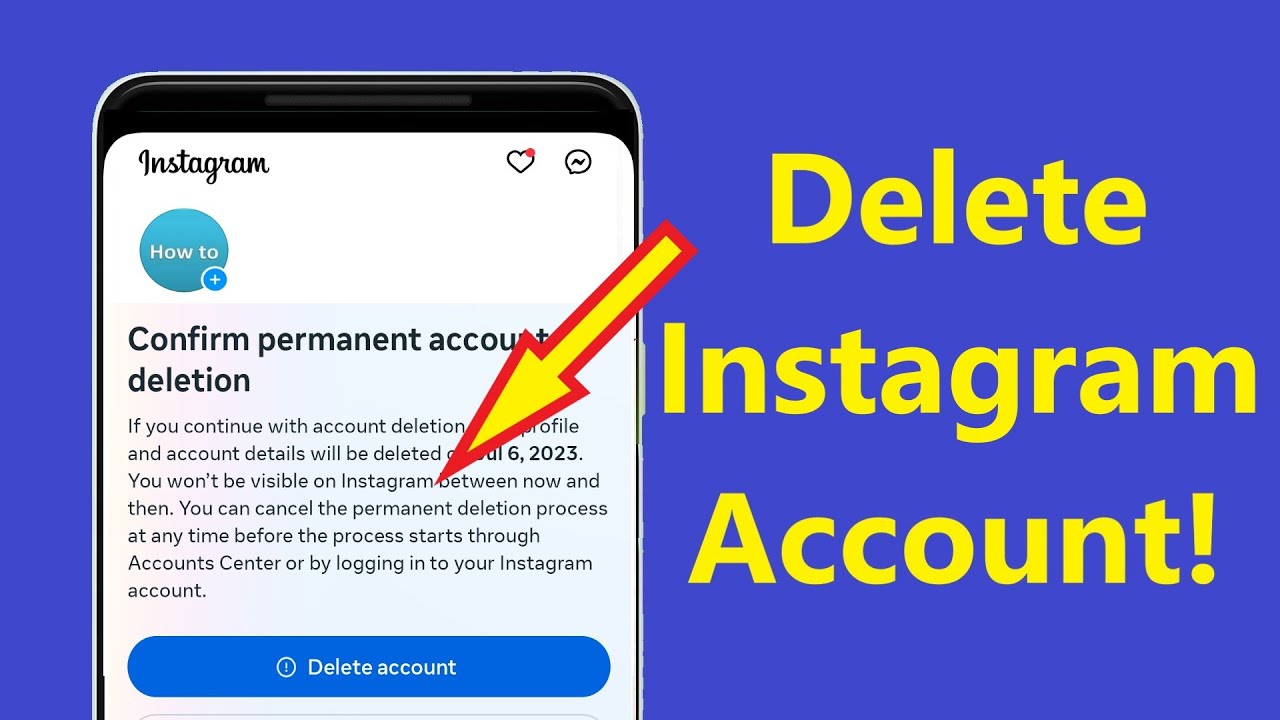
Your account becomes hidden immediately. Instagram gives you a 30-day window to cancel the deletion by logging back in. If you do not return within that period, your account and all data are permanently deleted. Full removal from backup systems can still take up to 90 days.
Step-by-Step Guide to Delete Instagram Account
Start by logging into the Instagram account you want to delete using the app or a browser. Go to your profile and tap the menu icon.
Open Accounts Center, which now controls all account-related settings across Meta platforms. Many users miss this step and never find the delete option.
From there, go to Personal Details, then Account Ownership and Control. Tap Deactivation or Deletion, select your account, and choose Delete Account.
Instagram will ask for a reason and require your password again. Once confirmed, your account enters the deletion process immediately.
What Happens After You Delete Your Instagram Account
Once you confirm deletion, your profile disappears instantly. Your posts, reels, followers, comments, and messages are no longer visible to anyone.
Your account stays in a deletion state for 30 days. If you log back in during that time, the request is cancelled and everything is restored.
After 30 days, the account is permanently removed. Recovery is not possible after this point.
## Today’s Update (August 2026): What’s Changed Right Now
Meta has made subtle but important adjustments in 2026 that are catching users off guard.
- Accounts Center is now mandatory for deletion across all devices
- Some users report the delete option appearing only after scrolling within the section
- The web version remains easier to navigate than the mobile app
- Instagram has tightened security prompts, sometimes asking for extra verification on suspicious logins
There’s also a noticeable rise in people deleting accounts due to privacy concerns and screen-time control. This has pushed Instagram to make the process clearer, but not necessarily easier to find.
Important Things to Know Before Deleting Your Account
Deleting your Instagram account is permanent after the grace period. Once completed, you lose all posts, reels, messages, and follower data.
Many users regret not saving their content first. If anything on your account matters, download it before starting the process.
If your Instagram is linked to other apps or services, you may lose access to those logins. This is often overlooked and can cause problems later.
How to Download Your Instagram Data Before Deletion
Instagram allows you to export your data before deleting your account.
Go to Accounts Center and find the data download option. Submit your request, and Instagram will email you a file with your photos, videos, messages, and account details.
Large accounts may take longer to process. It’s best to complete this step before initiating deletion.
Common Problems When Deleting Instagram Account (And Solutions)
The most common issue is not finding the delete option. This usually happens because users are looking in old settings instead of Accounts Center.
Login problems are another barrier. If you cannot access your account, you must recover it before deletion.
Steps can also vary slightly between Android, iPhone, and desktop. If you’re stuck, switch to a browser — it often shows the full settings layout more clearly.
Difference Between Deleting and Deactivating Instagram Account
Deleting your account permanently removes everything after 30 days. There is no recovery once that period ends.
Deactivating temporarily hides your profile, posts, and activity. You can return anytime by logging back in.
If you’re unsure, deactivation is the safer option. It gives you flexibility without losing your data.
How to Stay Secure After Deleting Instagram Account
After deleting your account, review any services linked to Instagram login. Update them to avoid losing access.
It’s also a good time to check your privacy settings across other platforms. Many users delete Instagram as part of a wider effort to reduce their digital footprint.
Keeping control of your accounts after deletion is just as important as removing the account itself.
Conclusion
Understanding how to delete Instagram account permanently in 2026 means dealing with a system that has changed quietly but significantly.
The process still works — but only if you follow the correct path through Accounts Center. Once you know where to go, it takes just a few minutes.
Before you delete, make sure your data is safe and you’re ready for a permanent decision. For many users, this step is about privacy, clarity, and taking back control online.
FAQ: How to Delete Instagram Account Permanently
Can I recover my Instagram account after deleting it?
No. After 30 days, the account is permanently deleted and cannot be recovered.
How long does it take to permanently delete an Instagram account?
Your account is hidden immediately. Full deletion happens after 30 days, with backend removal taking up to 90 days.
Why can’t I find the delete option on Instagram?
It is located inside Accounts Center. Make sure your app is updated or try using a web browser.
Do I need my password to delete my Instagram account?
Yes. Instagram requires password confirmation for security.
What is the difference between deleting and deactivating an account?
Deleting removes everything permanently. Deactivating hides your account temporarily and allows you to return later.
You may also read:
Dawn Dish Soap UK – Where to Buy, Best Alternatives & Why It’s So Popular