Introduction
The internet has a way of turning unfamiliar names into major search trends almost overnight. One day a term appears in forums, short videos, blog posts, and search suggestions, and the next day thousands of people want to know what it means. That is exactly how interest around Snaptroid has grown. Many users come across the word while looking for Snapchat-related tools, story viewers, helper apps, or privacy shortcuts, and they immediately start asking whether it is genuine, useful, or risky.
This article takes a careful and balanced look at the subject for readers who want clear information rather than hype. Instead of repeating dramatic claims, it explores what the term usually refers to, why it attracts attention, how such tools are often promoted, and what digital safety concerns should come first. The goal is simple: help readers understand the topic in a realistic, informed, and practical way, while also showing why caution matters more than curiosity when unknown tools promise access to private or restricted features.
What Is Snaptroid
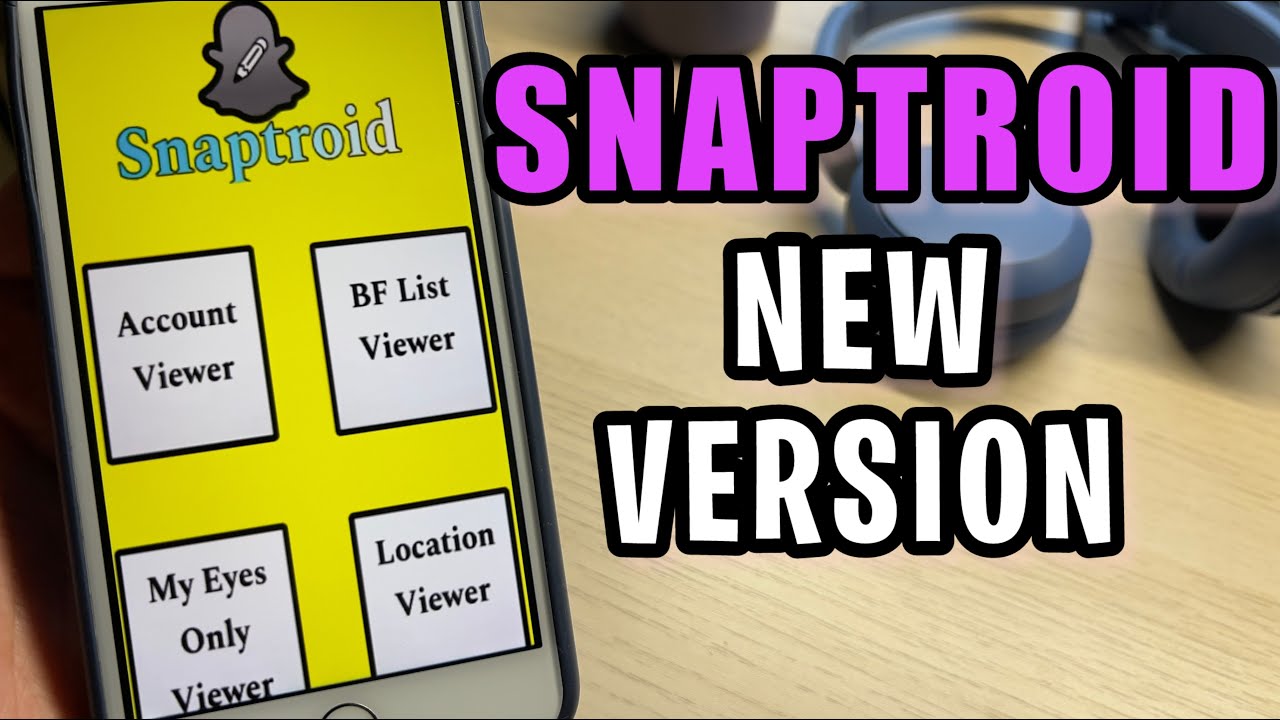
At its simplest, Snaptroid is usually presented online as a Snapchat-related tool, app, or APK that claims to offer features beyond the official platform. Different sites describe it in different ways. Some frame it as a viewing utility, some call it a downloader, and others attach artificial intelligence features such as caption writing, profile ideas, or simple content generation. This inconsistency is one reason many readers feel confused when they first search for it.
A reliable explanation has to begin with that confusion. The term does not arrive with one clear, universally trusted identity. Instead, it appears through scattered claims, promotional pages, social chatter, and curiosity-based content. That makes it important to treat the topic carefully. When a product is described differently across different sources, readers should slow down and ask basic questions. What is it supposed to do, who made it, where is it hosted, how is it distributed, and does any trustworthy evidence support the claims being made?
Why The Topic Became Popular
A keyword often becomes popular not because it is established, but because it is mysterious. That pattern fits this topic well. Users searching for extra Snapchat functions are naturally drawn to anything that sounds exclusive, hidden, or more powerful than the official app. Add a few dramatic posts, a few tutorial-style videos, and a few websites using bold promises, and the search interest begins to grow. Curiosity drives the first wave, while confusion fuels the second.
Another reason for rising interest is that social media audiences respond strongly to shortcuts. Any tool that appears to save time, reveal more information, or unlock features gains instant attention. Even if the claims are weak, the marketing language can be persuasive enough to attract visitors. People search because they hope the tool might be real, or because they want to confirm that it is not. In both cases, the popularity increases. That is why topics like this often trend even before anyone has clear evidence of reliability.
How It Is Claimed To Work
Most pages that discuss tools of this kind describe a simple path for users. The visitor is told to click a link, download an APK, open a site, enter a username, or pass through some kind of verification step. On the surface, this feels easy and tempting. Simplicity is part of the sales pitch. The message is usually that a few quick actions can deliver special access, improved convenience, or hidden functions that ordinary users do not get through standard platform settings.
Yet when readers step back, the pattern often deserves scrutiny. Real and trustworthy digital products usually explain their developer, features, permissions, privacy policy, and support structure in a transparent way. By contrast, vague promotional workflows often rely on mystery. Instead of proof, they offer suggestion. Instead of technical clarity, they provide promises. That difference matters. A process may look smooth on a landing page, but if it cannot explain what the tool actually does behind the scenes, users should see that as a warning rather than a sign of innovation.
Features Often Linked With The Keyword
A major reason the topic keeps appearing in searches is the variety of features associated with it. Some descriptions suggest story viewing or media access. Others imply profile support, smart writing help, AI-generated bios, or convenience tools for social media users. Because the list of supposed functions can seem broad, different people arrive with different expectations. One user may think it is a viewer, another may think it is a writing helper, and another may think it is a downloader or social utility.
This feature confusion is important for writers and readers alike. When a keyword carries too many meanings, search intent becomes mixed. That means content must explain not only what is claimed, but also what remains uncertain. It is easy for websites to gather traffic by combining buzzwords like AI, privacy, downloader, profile, stories, and helper app into one package. But real digital usefulness depends on specifics. Readers should ask which functions are actually demonstrated, which are merely suggested, and which sound designed to create clicks rather than deliver dependable value.
Is It Real Or Fake
The question many readers care about most is whether the tool is real at all. That question deserves a careful answer. In the digital world, something can be real in one sense and still be unreliable in another. A site may exist, a file may download, a brand name may circulate, and videos may discuss it. But that does not automatically mean the product is legitimate, effective, or safe. Existence alone is not the same as trust.
A more useful way to frame the question is this: does the tool have verifiable credibility, consistent identity, and transparent function? If the answer is unclear, readers should avoid treating it as established. Many questionable tools survive by appearing real enough to attract attention while remaining too vague to verify properly. That is why critical thinking is essential here. A trustworthy product should not depend on confusion, rumors, or scattered testimonials. It should stand on clear evidence, clear ownership, and a clear explanation of what users are agreeing to when they interact with it.
Is It Safe To Use
Safety matters more than novelty, especially when a tool claims to connect with a social platform, user data, or private media behavior. Unknown apps and unofficial APK files can create several layers of risk. At the mild end, the user may simply waste time on a product that does not work. At the serious end, the device may face malware, intrusive permissions, phishing attempts, credential theft, or unwanted data collection. These are not dramatic possibilities invented to scare readers. They are common digital safety concerns tied to unknown software sources.

The safest approach is to judge a tool not by how exciting it sounds, but by how transparent it is. Does it explain what data it collects? Does it offer contact information, support, a privacy policy, and a clear developer history? Is it hosted through trusted channels? Does it ask for unnecessary access? If answers are vague, that is not a small problem. It is the central issue. A flashy promise can never compensate for weak trust signals. Readers should remember that protecting personal accounts, devices, and communications is always more important than testing a questionable shortcut.
Can It Affect A Snapchat Account
Whenever a third-party tool is linked to a social platform, users should think beyond the device and consider the account itself. Even one brief interaction can create problems if the product requests login details, mimics official access, or persuades users to connect sensitive information. Social platforms are designed to monitor unusual behavior, suspicious access attempts, and questionable activity patterns. That means even curiosity-driven testing can lead to account warnings, security alerts, or a need to reset passwords and review account settings.
There is also a broader issue of digital trust. A social account is rarely isolated. It is connected to an email address, sometimes to a phone number, often to saved contacts, and frequently to personal memories or conversations. So the risk is not only whether an app violates a platform rule. The risk is whether it creates a chain of exposure. Once users understand that their social account is part of a wider personal ecosystem, they can make better decisions. A risky tool is never just about one login. It may open the door to much more than that.
Warning Signs Readers Should Notice
A responsible article on this topic should highlight practical warning signs. The first is exaggerated language. When a website promises impossible access, secret features, or results that sound too easy, readers should immediately become cautious. Another sign is a poor transparency trail. If there is no clear company identity, no visible support structure, and no stable explanation of how the service operates, that is not a minor flaw. It signals that the product may value clicks more than accountability.
Other red flags include repeated verification loops, sudden redirects, suspicious download buttons, and requests for sensitive information that do not match the supposed task. A user who only wants to explore a tool should never be pushed toward unrelated surveys, aggressive pop-ups, or confusing steps that never lead to a final result. These patterns are common because they work on impatient visitors. But once users know the signals, they become harder to mislead. Digital safety often begins not with advanced knowledge, but with the habit of noticing when something feels structurally wrong.
Why People Search For It
Search behavior often reveals more about user psychology than about the tool itself. Many people search because they are curious. Some want hidden features. Some want shortcuts. Some want a smarter way to manage social media. Others simply encounter the term on a forum or in a video and want to know whether it is real. In that sense, the popularity of the keyword reflects not just demand for a specific app, but a wider desire for convenience, control, and social media advantage.
There is also a social layer behind the searches. When users see repeated references to a term, they assume it must matter. Search suggestions, discussion threads, and clips create a feeling of urgency. People do not want to miss out on something others seem to know. That fear of being late to the trend often pushes clicks before questions. Good content should respond to that moment with clarity. It should explain why the term attracts interest, what assumptions users bring to the search, and why strong curiosity should always be matched by equally strong caution.
The Risks Of Unofficial APK Downloads
APK files are not automatically dangerous, but unofficial APK distribution always deserves careful judgment. When a file comes from outside trusted stores or established developer channels, the user loses many of the protections that formal distribution systems are designed to provide. That does not mean every unofficial file is malicious. It means the burden of verification becomes much heavier, and many ordinary users do not have the tools or technical knowledge to evaluate that risk correctly.
This is where problems often begin. A user may think they are only trying a harmless extra feature, but the file could include unwanted code, aggressive permissions, or hidden behaviors that are difficult to detect. Even when the result is not malware, the software may still be unstable, misleading, or built to collect data in ways the user never understood. That is why articles on this subject should not normalize casual downloads from unknown sources. Readers deserve a clear reminder that installing software is not a trivial click. It is a trust decision with real consequences.
Better And Safer Alternatives
The most useful articles do not stop at warning readers. They also point them toward safer options. In many cases, the actual need behind the search is simple. Some users want better captions or bios. Some want easier media organization. Some want creative help for social posts. Others simply want to understand privacy settings and story visibility. These goals can often be met through official platform features, trusted creative tools, or well-known productivity apps that do not require risky access.
A solution-focused approach helps the reader move from fear to action. If someone wants better social media writing, there are safer writing assistants. If someone wants to manage privacy, the official app settings are the first place to check. If someone wants content planning support, established design and scheduling tools can help without pretending to unlock private features. This is an important editorial principle. Instead of leaving readers with anxiety, the article should help them clarify their real need and then direct them toward tools that respect both usefulness and safety.
How To Judge Whether A Tool Is Legitimate
Readers benefit when an article gives them a repeatable method, not just a verdict on one keyword. The smartest habit is to build a legitimacy checklist. Start with identity. Who made the tool, where is it hosted, how long has it existed, and does it show stable developer information? Then examine transparency. Is there a privacy policy, a terms page, visible support, and a believable explanation of what the tool actually does? If these basics are missing, trust should drop immediately.
Next, look at the user journey itself. Does the process make sense from beginning to end? Are permissions relevant to the claimed function? Are there proof-based explanations, or only catchy headlines and big promises? Can the claims be independently verified through neutral discussion, rather than only promotional content? This kind of evaluation protects users far beyond one topic. It turns them into better digital decision-makers. Instead of asking only whether one product is good or bad, they learn to ask whether the overall structure of trust is strong enough to deserve attention.
What To Do If You Already Tried It
Sometimes readers do not arrive before the mistake. They arrive afterward, worried that they may have clicked something risky, downloaded a file, or entered information they now regret sharing. In that case, the right response is calm action. Panic is not useful, but delay is not wise either. Start with the basics. Change important passwords, especially if any account details were entered. Review recent login activity, check device permissions, and remove suspicious files or apps that no longer feel trustworthy.
After that, take a wider security look. Run a reputable security scan, review browser downloads, and check whether unusual pop-ups, redirects, or login alerts have appeared since the interaction. If the same email is used across multiple accounts, secure that address as well. The key message for readers is that digital recovery is possible when they act early. Mistakes happen online every day. What matters most is responding in a structured way. Good guidance should reassure users that one bad click does not define the outcome if they take the right protective steps quickly.
Public Discussion And Mixed Opinions
Online discussion around tools like this tends to follow a familiar pattern. Some voices promote the topic enthusiastically. Some dismiss it completely. Others repeat fragments of information without clear proof. This mixture creates noise, and that noise can make the subject appear bigger or more credible than it really is. When users see multiple discussions, they often assume there must be substance behind them. Sometimes there is. Sometimes the attention is simply feeding itself.
That is why articles should treat public opinion as context, not evidence. Online communities are useful for spotting concerns, repeated complaints, or shared confusion, but they are not always reliable for technical verification. A writer should acknowledge what people are saying while still separating rumor from demonstrable fact. This editorial balance is essential. It allows the article to feel current and realistic without becoming part of the hype cycle. Readers deserve interpretation, not amplification. They need help understanding the conversation, not just another version of the same noise.
Who Should Avoid It Completely
Certain groups of users should be especially cautious with any tool that has unclear identity or uncertain safety signals. Younger users are particularly vulnerable because they may be attracted by trend language, shortcuts, or promises of hidden access without fully understanding privacy consequences. People with limited technical experience also face added risk because they may not know how to inspect permissions, evaluate file sources, or recognize deceptive verification patterns. For these readers, even a small mistake can escalate quickly.
Privacy-conscious users should also avoid experiments with vague or unofficial services. If someone values account security, device stability, message privacy, and control over personal information, then a questionable app simply offers the wrong trade-off. The same applies to professionals, creators, and anyone whose device contains sensitive work or personal content. The better principle is simple: if a tool cannot clearly prove that it deserves trust, it should not receive access. Avoiding risky software is not fear. It is a disciplined digital habit that protects far more than one social profile.
Final Verdict
The most honest conclusion is that the keyword attracts attention because it sits at the intersection of curiosity, social media culture, and digital uncertainty. Readers want a quick answer, but the most responsible answer is a layered one. A term may be visible online and still fail the trust test. A claim may sound useful and still be poorly supported. A download may exist and still be unsafe. That is why credibility must be judged by transparency, consistency, and digital safety signals rather than by popularity alone.
For most readers, the wisest approach is caution. Snaptroid may appear in searches, discussions, and promotional content, but interest should never be confused with reliability. If a user’s real goal is creativity, profile improvement, or smarter use of social platforms, safer and more transparent alternatives exist. If the goal is private access or hidden features, that alone should signal the need for restraint. The internet rewards fast clicks, but good judgment rewards the user. In the long run, protecting privacy, accounts, and devices is always the better outcome.
Conclusion
This topic is a strong example of how modern search behavior works. A mysterious term gains attention, curiosity spreads, content multiplies, and users rush to find out whether they are looking at a breakthrough, a shortcut, or a trap. The smartest response is not panic and not blind excitement. It is careful evaluation. Readers should ask what the tool claims, what evidence supports those claims, how transparent the developer is, and what risks might follow from even a brief interaction.
A useful takeaway is that digital caution is not about avoiding all new things. It is about knowing how to evaluate them before granting trust. The safest readers are not the ones who never click. They are the ones who know what to check before they do. When a trend appears around an unfamiliar app, site, or APK, slowing down is a strength, not a weakness. Clear thinking protects privacy, accounts, and peace of mind. In a crowded online world, that kind of judgment matters more than any promise of secret access or instant advantage.
FAQs
What is Snaptroid?
Snaptroid is usually described online as a Snapchat-related tool, helper app, or APK offering extra features. The problem is that descriptions vary widely from source to source. Because the identity is inconsistent, readers should treat the term carefully and focus on transparency rather than marketing promises.
Is Snaptroid a real app?
Something can appear real online without being trustworthy or well verified. A website, file, or brand mention may exist, but that does not confirm reliability. The better question is whether the tool has clear ownership, consistent function, and transparent support. If those things are unclear, caution is the right response.
Is Snaptroid safe to use?
Safety depends on source, permissions, transparency, and the way the tool handles personal data. Unknown APKs and unclear websites can carry risks such as phishing, malware, intrusive permissions, or account exposure. Users should avoid installing or connecting anything that lacks strong trust signals and clear developer information.
Can it affect my Snapchat account?
Any unofficial service connected to a social platform can create account-related risks, especially if it requests login details or imitates official access. Users may face security alerts, password resets, suspicious activity warnings, or privacy concerns. Protecting the account should always come before testing a questionable tool.
Why do so many people search for it?
The topic attracts searches because it combines mystery, viral attention, and the promise of extra features. Users are often curious about shortcuts, story tools, hidden settings, or AI-style enhancements. Search popularity can grow quickly when social media posts, blogs, and discussions repeat the same term across platforms.
Should I download an APK for a tool like this?
Only if the source is verifiable, trustworthy, and technically transparent. Most everyday users are better off avoiding unofficial APK downloads when the product identity is unclear. Installing software is a trust decision, not a casual experiment, especially when it may interact with private data or social accounts.
Are there safer alternatives?
Yes. The safest alternative depends on the real need. Official platform settings are best for privacy and account controls. Trusted writing and design tools are better for bios, captions, and content ideas. Established social media planning tools are safer for creators than vague apps promising secret features.
What should I do if I already tried it?
Start by changing important passwords, especially if any credentials were entered. Review account activity, remove suspicious apps or files, and run a device scan using trusted security software. Also review browser downloads and email security, since many online account systems are connected through one central email address.
How can I tell whether a digital tool is legitimate?
Check who made it, where it is hosted, whether it has a privacy policy, and whether the permissions match the claimed function. Look for consistent explanations, neutral reviews, and a clear support presence. If the process relies on hype, confusion, or endless verification, that is a serious warning sign.
What is the safest mindset when searching unfamiliar tools?
Curiosity is natural, but trust should be earned. The safest mindset is to slow down, verify the source, question dramatic claims, and think about what access the tool wants from you. Good digital habits protect your device, your accounts, and your personal information far better than any shortcut ever could.
You may also read: David Harbour Television Career