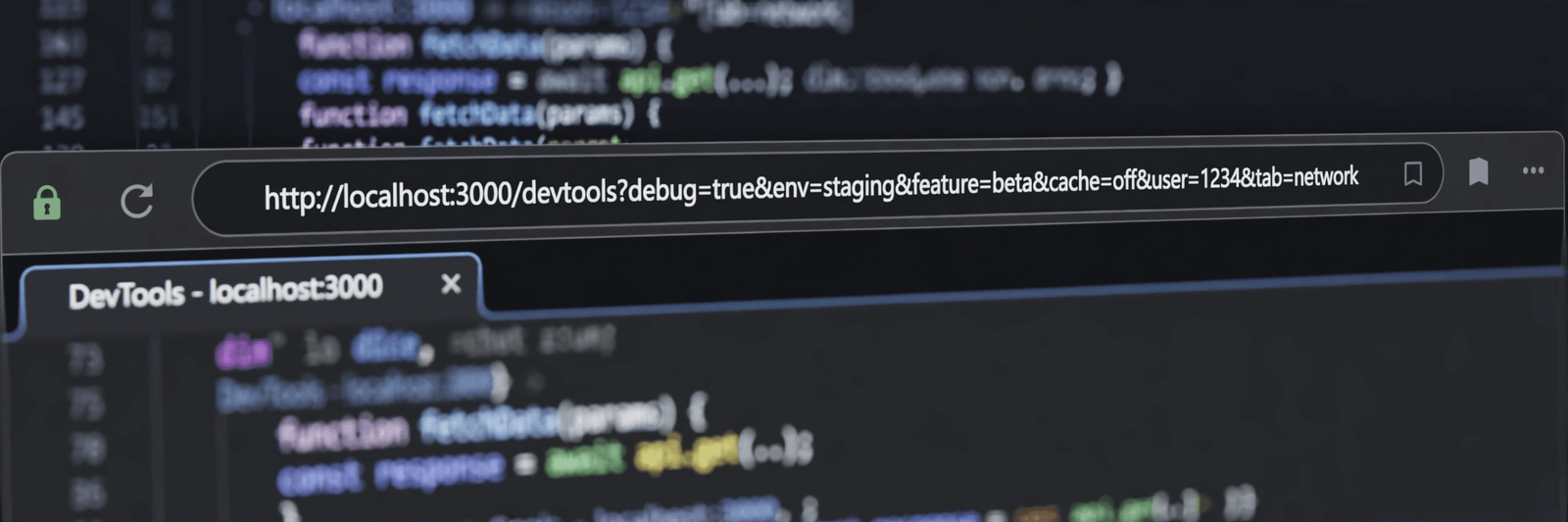
Look at the address bar after clicking an advert, filtering a shop page or opening a search result and you will often see a tail of text after a question mark: ?category=shoes&size=10&utm_source=google. That tail is a query string — the part of a URL that carries data to the server or the page. Understanding what a query string is matters for developers, marketers and anyone who runs a website, because these few characters quietly power filtering, personalisation, logins and campaign tracking across the modern web.
This guide defines what a query string is, breaks down its anatomy, walks through its main uses with examples, and covers the SEO and security rules that decide whether query strings help your site or hurt it.
What Is a Query String? A Simple Definition
A query string is the section of a URL that begins with a question mark and contains one or more key–value pairs, each written as key=value and joined by ampersands. In example.com/products?category=shoes&size=10, the query string is category=shoes&size=10: two parameters telling the server which products to show. Remove the query string and the address still works — you simply land on the unfiltered page.
That design is the whole point. A query string lets one URL behave like many pages without the site having to build each variation as a separate address. The server — or the JavaScript on the page — reads the values and responds accordingly: filtering a catalogue, applying a search term, remembering a language choice or recording where a visitor came from. Everything after the ? is instruction, not location.
The Main Uses of Query Strings
Filtering and sorting is the use most people meet daily. Online shops encode category, size, colour, brand and price range as parameters, so one product listing page can present thousands of combinations. Search boxes do the same, passing your typed term to the results page as a parameter rather than requiring a pre-built page for every possible search.
Tracking is the second great use. Marketers append UTM parameters — utm_source, utm_medium, utm_campaign — to links in adverts, emails and social posts, so analytics tools can attribute visits and sales to the right campaign. Add personalisation and session handling, where parameters carry preferences or identifiers between pages, and you have the three jobs that explain nearly every query string you will ever see in the wild.

How to Read a Query String in Code
Developers read query strings with built-in tools in every major language, so nobody has to split the text by hand. In the browser, JavaScript’s URLSearchParams API does the job in a couple of lines; as MDN’s URLSearchParams documentation shows, you pass it the query string and then call .get('category') to retrieve a value by name. PHP exposes the same data through the $_GET array, and Python frameworks such as Flask provide it as request.args.
Writing query strings is equally standardised. Values must be URL-encoded so that spaces and special characters survive the journey — a space becomes %20 or +, and reserved characters like & inside a value must be escaped, otherwise the string breaks at the wrong point. Frameworks and helper functions handle this automatically, and most query-string bugs in real projects trace back to someone building a URL by hand and skipping the encoding step.
Query Strings vs URL Paths
It helps to separate a query string from the path that precedes it. The path — /products/shoes/ — identifies a resource in a hierarchy, and it is the part of the URL that should carry your permanent structure and your SEO-friendly keywords. Path segments name things; query strings modify how a thing is displayed, filtered, tracked or personalised.
That distinction drives the golden rule of URL design: content that deserves to be found, linked to and ranked belongs in the path, while temporary or optional state belongs in the query string. A category page should live at a clean path of its own; the fact that a visitor sorted it by price or arrived from a Facebook advert is exactly the kind of detail a query string exists to hold.
Query Strings, SEO and Security Best Practices
Poorly managed query strings are a classic source of SEO problems. Every parameter combination can look like a separate page to a search engine, producing duplicate content, wasted crawl budget and diluted ranking signals across dozens of near-identical URLs. The standard defences are canonical tags pointing at the clean version, sensible robots rules for purely functional parameters such as sorting and sessions, and keeping important content out of parameterised URLs altogether.
Security deserves the same attention. Anything in a query string is visible — in the address bar, in browser history, in server logs and in analytics — so passwords, personal data and sensitive tokens must never travel in one. Values arriving from a URL must also be treated as untrusted input and validated before use, because tampered parameters are a standard route into injection attacks. Keep strings short, use meaningful parameter names, encode properly, and a query string stays what it should be: a small, safe, useful instruction attached to a clean address.
Conclusion
A query string is a small mechanism with an outsized role: it is how a single web address filters a catalogue, remembers a search, personalises a page and tells a marketer which advert worked — all from a handful of characters after a question mark. Knowing what a query string is, and how to structure one properly, is basic literacy for anyone building, marketing or simply trying to understand websites.
Handle them well — clean paths for real content, parameters for state and tracking, nothing sensitive in the open — and query strings remain an asset. Handle them carelessly and they quietly multiply your pages, leak your data and muddy your analytics. The difference is entirely in the discipline of the person writing the URL.
Frequently Asked Questions
What is a query string in simple words?
It is the part of a URL after the question mark that carries data as key–value pairs, such as ?page=2&sort=price, telling the site how to filter, display or track the page.
What are UTM parameters?
UTM parameters are standard query string tags (utm_source, utm_medium, utm_campaign and others) added to links so analytics tools can identify exactly which campaign, channel or advert produced a visit.
Can query strings hurt SEO?
They can if unmanaged: parameter variations may create duplicate pages and split ranking signals. Canonical tags, clean paths for important content and blocking purely functional parameters keep the problem under control.
Are query strings safe?
They are safe for non-sensitive data when values are encoded and validated. Never put passwords, personal details or secrets in a query string, because URLs are logged and visible in many places.
How do I create a query string?
Add ? after the path, then key=value pairs joined by &, with values URL-encoded. Most frameworks and link builders generate them automatically, including every major analytics and advertising platform.
What is the difference between a query string and a URL?
The query string is one component of a full URL. The URL also includes the protocol, domain and path; the query string is only the optional data section beginning with ?.
Query strings are also one of the building blocks underneath content strategy itself — our guide to what a content pillar is shows how structured content and clean URLs support each other.
And if you are planning campaigns that rely on tracked links, revisit what a content pillar is to keep the strategy behind those links just as organised.