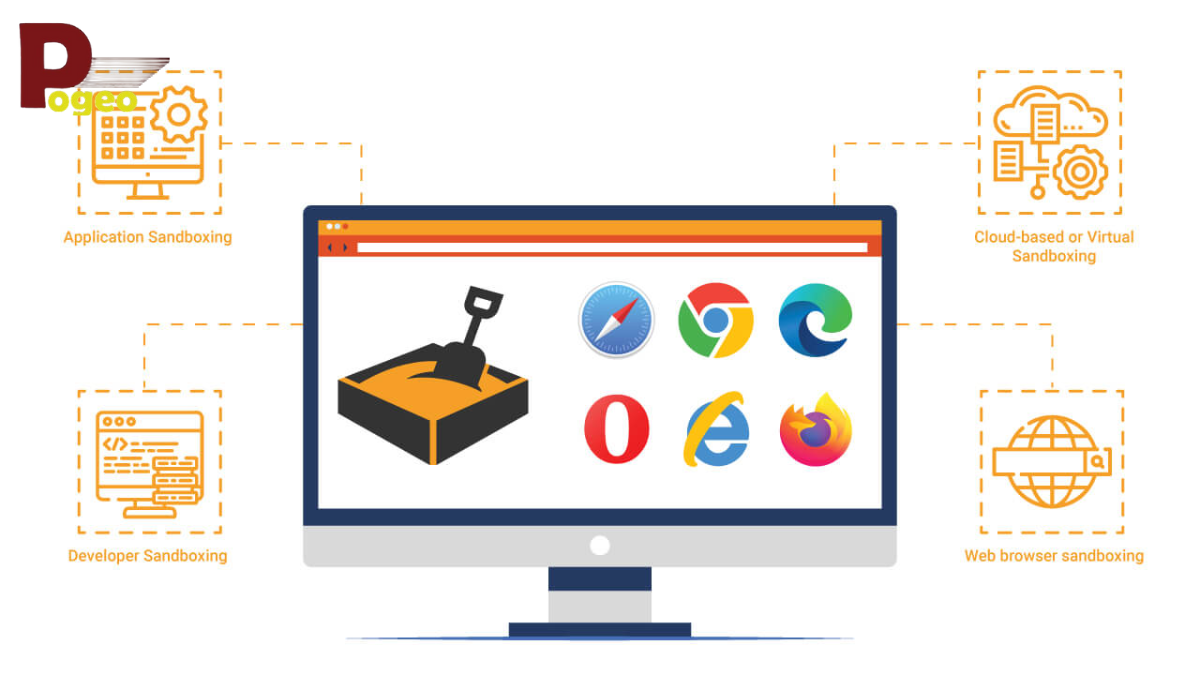
A sandbox environment is a fully isolated and controlled virtual space where developers, IT teams, and cybersecurity professionals can safely test software, applications, or files. By separating this space from live systems, organisations can experiment without risking data integrity, system downtime, or security breaches. In today’s digital-first UK business landscape, sandbox environments are essential for both innovation and safety.
Understanding what is a sandbox environment is crucial for businesses looking to minimise risks while maximising productivity. It allows teams to test new software features, updates, or configurations without affecting customers or live operations. Additionally, sandboxes support cybersecurity measures by safely analysing suspicious files and potential malware, ensuring threats never reach the production environment.
Sandbox environments are particularly valuable for UK businesses required to comply with GDPR and other local data protection regulations. By keeping all testing isolated, organisations can avoid accidental data leaks, improve software quality, and maintain operational continuity. The combination of isolation, replicability, and control makes sandboxing a fundamental tool in modern IT infrastructure.
Understanding Sandbox Environments
A sandbox environment is more than just a testing space; it is a secure, isolated ecosystem where code and applications can run without impacting production systems. Isolation is the key feature: any crashes, malware execution, or unexpected behaviour remain confined, ensuring that live networks, devices, and user data remain unaffected.
Sandboxing allows developers to safely experiment with new software updates, configurations, and features. By mimicking the production environment while remaining separate, sandboxes provide a realistic testing ground. Understanding what is a sandbox environment enables IT teams to plan safer development processes and reduce the likelihood of software failures in live systems.
Unlike staging or test environments, sandboxes are entirely self-contained. Developers and security teams can execute potentially unsafe operations without fear of disrupting real users or network systems. This complete separation ensures controlled experimentation, making sandbox environments an essential part of IT security, software development, and operational risk management in 2026.
Sandbox environments also enhance team collaboration. Multiple developers or analysts can work in individual sandboxes simultaneously, performing parallel tests without interfering with one another’s results. This capability accelerates development cycles and strengthens the reliability of software releases.
How a Sandbox Environment Works

Sandbox environments function by creating a virtual space that isolates applications or code from the host system. This can be implemented using virtual machines (VMs), containerisation platforms like Docker or Kubernetes, or built-in operating system tools such as Windows Sandbox or macOS virtual environments.
Once the sandbox is established, developers can safely run and test code without risking the live system. Any errors, crashes, or malicious activity remain contained within the sandbox, which acts as a protective barrier. The controlled environment also allows teams to monitor behaviour in detail, making it ideal for debugging or security testing.
One of the most valuable features of a sandbox environment is reset and replication. After testing, the sandbox can be restored to a clean state, allowing multiple rounds of experiments with consistent conditions. This repeatability ensures accurate analysis of software behaviour, patches, or updates and supports iterative development practices.
Modern sandboxes also incorporate advanced monitoring, logging, and analytics features. These tools track each action within the environment, helping developers understand code performance and security teams identify potential threats. Integrating sandboxes into continuous integration/continuous deployment (CI/CD) pipelines enhances efficiency while maintaining the safety and reliability of production systems.
Common Uses of Sandbox Environments
The primary application of sandbox environments is software development. Developers can test new features, bug fixes, or integrations without impacting live systems. This approach reduces errors, ensures smoother software updates, and improves the overall user experience.
In cybersecurity, sandbox environments are essential for analysing potentially malicious files. Security teams can safely execute malware to observe behaviour, such as attempts to steal data, encrypt files, or communicate with external servers. By containing threats, sandboxing prevents real-world system infections and allows organisations to develop effective mitigation strategies.
Sandbox environments are also widely used for prototyping and innovation. UK businesses can safely trial new software configurations, technologies, or business processes without risking operational continuity. This enables experimentation, learning, and improvement while safeguarding live systems.
Additionally, sandboxes are integrated into modern safe browsing and app execution practices. Browsers and operating systems use sandboxing to prevent malicious websites or applications from affecting user devices. This ensures that digital interactions remain secure and reliable, particularly in environments handling sensitive information.
Sandbox environments also serve as training grounds for developers and IT professionals. Teams can practice deploying software, troubleshooting issues, and analysing threats within a controlled setting. This hands-on experience strengthens skills while minimising the chance of mistakes impacting production systems.
Tools and Platforms for Sandbox Environments
Creating a sandbox environment requires the right tools. Virtual machines like VMware, VirtualBox, and Hyper-V offer highly secure, isolated testing spaces. They replicate production systems effectively, making them suitable for software testing and malware analysis.
Containerisation platforms, such as Docker and Kubernetes, allow lightweight sandboxing that is fast, scalable, and resource-efficient. Containers are particularly useful for cloud-based applications, enabling parallel tests and CI/CD integration without heavy resource consumption.
Operating systems also provide built-in sandbox features. Windows Sandbox and macOS virtual environments allow quick setup of isolated spaces for testing applications or evaluating untrusted code. These native tools are ideal for smaller teams or businesses that require fast deployment with minimal infrastructure.
Specialised security sandboxes, such as FireEye, Proofpoint, and Hornetsecurity, focus on malware detection and behaviour analysis. They provide detailed insights, including threat patterns, automated alerts, and actionable intelligence, making them critical for proactive cybersecurity strategies.
When selecting a sandbox solution, organisations must consider objectives, scale, and security requirements. Understanding what is a sandbox environment helps teams choose the right combination of VMs, containers, and security sandboxes to optimise safety, efficiency, and operational reliability.
Best Practices for Using a Sandbox Environment
Maintaining strict isolation is essential for a sandbox environment. Limit connections to essential networks and never expose sensitive data during testing. Isolation prevents accidental breaches or contamination of live systems, a crucial practice for UK businesses under GDPR.
Regularly resetting and refreshing sandboxes ensures clean and consistent conditions for each test. This approach enhances reliability, enables accurate results, and allows teams to repeat experiments without previous interference.
Monitoring and documenting sandbox activity are equally important. Logging actions, tracking performance metrics, and recording outcomes supports reproducibility, accountability, and continuous improvement. Integrating sandboxes into CI/CD workflows allows secure, automated testing, improving release quality while reducing risks.
Training teams on proper sandbox usage is critical. Developers and analysts must understand setup, monitoring, and reset procedures. Awareness of potential pitfalls ensures sandbox environments are used efficiently, safely, and in line with modern cybersecurity standards.
Challenges and Limitations
Despite their benefits, sandbox environments have limitations. Performance overhead can be high, particularly with virtual machines that consume memory and CPU resources. Proper resource allocation is necessary to prevent slowdowns and ensure smooth testing.
Complete replication of production environments can be difficult. Some errors or behaviours may not appear in the sandbox, meaning supplementary testing is often required. Understanding these limitations helps teams plan more comprehensive development and security strategies.
Costs can also be a factor. Advanced sandbox solutions, cloud infrastructure, or specialised security tools may involve licences or additional hardware. Misconfigured sandboxes could also fail to contain malware. Awareness of these challenges ensures that sandbox environments are implemented responsibly and effectively.
Conclusion
Understanding what is a sandbox environment is essential for safe and efficient software development, IT operations, and cybersecurity. By providing isolation, replicability, and control, sandboxes allow UK businesses and developers to experiment, test, and innovate without risking live systems.
From malware analysis to software prototyping, sandbox environments protect data, reduce operational risks, and enhance productivity. Integrating sandbox environments into workflows helps organisations stay agile, secure, and compliant while fostering innovation.
Embracing sandboxing practices is a strategic step for UK businesses and IT teams seeking to balance safety with progress in an increasingly digital and threat-prone world.
FAQs
What is the meaning of a sandbox environment?
A sandbox environment is an isolated virtual space where code, applications, or files can be tested safely without affecting live systems or compromising data.
What is a sandbox example in software development?
Testing a new app update in a virtual machine before deployment is a typical example of using a sandbox environment.
What is the difference between a sandbox and a test environment?
Sandboxes are fully isolated and ideal for risky operations, while test environments are more integrated with live systems to simulate production conditions.
Is a sandbox environment the same as a virtual machine (VM)?
Not exactly. A VM can create a sandbox, but sandboxing refers to the broader practice of safe, isolated testing and analysis.
What is a sandbox environment used for in cybersecurity?
It is used to safely analyse malware, untrusted files, or suspicious applications without risking the network or live systems.
Can sandbox environments fully replicate a production system?
They replicate most features but may not capture every real-world scenario, so supplementary testing may be necessary.
Which tools are best for creating a sandbox environment?
Popular options include VMware, VirtualBox, Docker, Windows Sandbox, FireEye, and Proofpoint.
Are sandbox environments necessary for small businesses?
Yes, sandboxes protect data and reduce risk even for smaller organisations, enabling safe testing without high-cost infrastructure.
How often should a sandbox be reset or refreshed?
It should be reset after each test to ensure clean, reliable conditions for accurate results.
Is sandboxing suitable for cloud applications?
Absolutely. Cloud sandboxes allow testing of applications, configurations, and updates before deployment, ensuring security and reliability.
You may also read: History and Background of Cafe Continental Manchester